For a large general contractor, the right platform keeps planning, field execution, cost control and safety in one data model, connects cleanly to your ERP, and doesn't charge more as more people use it. Smartapp is built for exactly that: the first 100% AI-native Construction Intelligence Platform™, with PLANNER™, FIELD™, CONTROLS™ and SAFETY™ on one platform, Brena® agentic AI in every edition, jobsite hardware from the same vendor, an SAP-certified integration, and unlimited users priced on Annual Construction Value.
The real cost is disconnected information
Most large GCs aren't short on software. The problem is that the schedule, the field record, the cost forecast and the safety log live in different places, so the people running the work spend their time chasing and reconciling information instead of acting on it.
Source: FMI and PlanGrid, Construction Disconnected. The takeaway for a buyer is simple: the value of a platform comes less from any single feature and more from whether its data stays connected from the plan to the field to the budget.
What to evaluate, and what to ask every vendor
Use these questions in demos and reference calls. They apply to any platform you're considering, including ours.
| Requirement | Question to ask | How Smartapp answers |
|---|---|---|
| Planning | Are the pull plan and the CPM schedule one model, or two that drift apart? Can it read and write P6 and MS Project files? | PLANNER™ keeps digital pull planning and CPM scheduling aligned in one model, and reads and writes P6 and MS Project files. |
| Field execution | Do drawings, BIM, RFIs, submittals and daily reports live in the same place as the plan? What happens when the signal drops? | FIELD™ covers drawings, BIM, specs, RFIs, submittals, daily reports, punch lists, inspections and 360° photos, with offline-first capture that syncs on reconnect. |
| Cost control | Do forecasts update from field progress, or from spreadsheets at month end? | CONTROLS™ runs estimates, budgets, bids, contracts, pay applications (G702/G703), change orders, forecasting and earned value, with real-time forecasts from the field. |
| Safety & workforce | Can you onboard, credential and clear workers in the same system that runs permits, inspections and incidents? | SAFETY™ covers onboarding and credentials (including I-9 verification and badge printing), training, permits and STA/JHAs, inspections, incidents, toolbox talks, evacuations and visitor management. |
| AI | Is AI native and included, or a paid add-on? Can it take action, or only answer questions? | Brena® agentic AI is included in every edition, with a system agent in every module, custom agents and scheduled jobs. |
| ERP & integrations | Is the ERP connection certified? Is there an open path for everything else? | SAP-certified Industry Cloud Application, plus APIs, MCP tools, A2A and AppStudio™ for extending the platform. |
| Jobsite hardware | Will badging, access, attendance and location tracking come from separate vendors you integrate yourself? | Smartapp supplies the software and the hardware, so jobsite devices feed the same platform. |
| Pricing | Does cost rise every time you add a subcontractor, owner rep or crew member? | Priced in basis points of Annual Construction Value, with unlimited users. |
| Security & governance | Can it meet higher security requirements and give you centralized control across projects? | Public cloud on Google Cloud or a segmented, dedicated VPC, with centralized governance and unlimited projects on Enterprise plans. |
How Smartapp is put together
Smartapp is a Construction Intelligence Platform™: software, hardware and native agentic AI on one platform. You can start with one edition or deploy them all as Smartapp ONE™, and every edition shares the same data, so progress captured in the field shows up in plan boards, schedules and forecasts in real time.

Smartapp PLANNER™
Digital pull planning and CPM scheduling in one model. Dispatch work to crews' phones and get automated daily reports back.

Smartapp FIELD™
Drawings, BIM, specs, RFIs, submittals, punch lists, inspections and 360° photos, with SKETCH™ markup included.

Smartapp CONTROLS™
Estimates through pay applications, change orders, forecasting and earned value, updated from the field.

Smartapp SAFETY™
Worker onboarding, training, permits, inspections, incidents and visitor management. 83% faster digital worker onboarding.

Smartapp ONE™
PLANNER™, FIELD™, CONTROLS™ and SAFETY™ together in one suite, with AppStudio™ and OrgCentral™.

Smartapp SKETCH™
2D, BIM and photo markup for construction teams, included with FIELD™.
Brena®, built in. Brena® is included in every edition and works across modules. Ask it to build a two-week lookahead from the live plan, find site photos and list the hazards in them, or log a hazard reported in any language as a translated observation. It can run reports and summaries on a schedule, work hands-free through real-time voice and AI wearables, connect to other systems through MCP and A2A, and work alongside SAP Joule.
Hardware from the same vendor. Smartapp offers jobsite hardware as a service, so badging, access, attendance and location data land in the same platform your project teams already use.

Jobsite BADGE™
A kiosk with worker and visitor badge printers for on-site credentialing.

Jobsite ACCESS™
Turnstile, gate and lock control with facial verification and a live attendant option.

Jobsite ATTENDANCE™
RFID check-in stations, including solar-powered units, for time and attendance.

Jobsite BOARD™
An 86" interactive jobsite display for planning sessions and huddles.
Jobsite RTLS™
BLE tags and gateways for live location of people, equipment and materials.
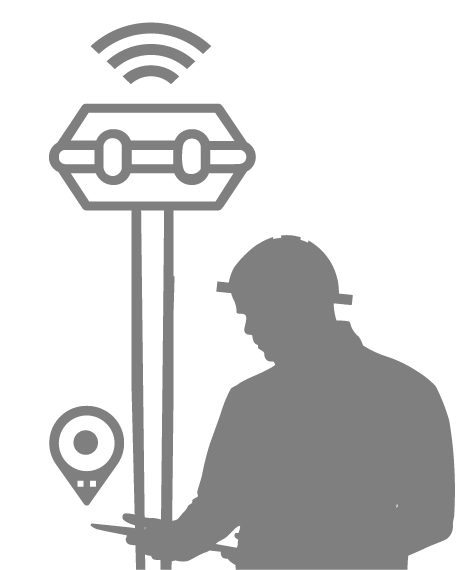
Jobsite GPS™
Survey-grade GNSS positioning, with an AR mode for locating underground utilities.
Pricing that doesn't penalize adoption
Software only pays off when the whole project team uses it: superintendents, foremen, subcontractors, owner reps. Smartapp prices software in basis points of Annual Construction Value rather than per seat, and users are unlimited, so bringing more people onto the platform doesn't change the bill. Company-wide editions start at 1.5 basis points of ACV, Smartapp ONE™ is 6 basis points, and per-project plans are available. See pricing for current details.
If you're on Procore today, we guarantee Smartapp will cost 50–75% less than your current Procore bill. See the Smartapp vs Procore page for details.
Who Smartapp is built for
Smartapp is built for organizations running many projects at once that need consistent data, governance and reporting across all of them. It is used by organizations including Hensel Phelps, Fluor, Day & Zimmermann, Consigli, Pepper Construction and AECOM, and it was named to Construction Executive's Top Tech list in 2024, 2025 and 2026.
By role:
General contractors
Plan, build and control cost on one platform
Construction managers
Coordinate every trade from a shared plan
Owners
Consistent visibility across a portfolio
EPC
Connect procurement, controls and the field
By project type:
Vertical
Mid/high-rise, data centers, healthcare
Linear
Heavy civil, energy, utilities
O&M
Retail, plants, distribution
Frequently asked questions
Look for one data model across planning, field execution, cost control and safety; AI that is built in rather than sold as an add-on; a certified connection to your ERP plus open APIs; field capture that keeps working when connectivity drops; pricing that doesn't grow with every user you add; and, if you run connected jobsites, hardware that feeds the same platform. Smartapp is built around all of these.
Smartapp software is priced in basis points of Annual Construction Value (ACV), not per seat, and users are unlimited. Company-wide editions start at 1.5 basis points of ACV, Smartapp ONE™ is 6 basis points, and per-project plans are also available. Current details are on the pricing page.
Yes. Smartapp is an SAP-certified Industry Cloud Application. The SAP integration connects WBS/CBS, forecasts from the field, invoice and actuals reconciliation, and pay-when-paid. Beyond SAP, Smartapp's integration framework includes APIs, MCP tools and A2A, and the connectors listed on our site include Oracle, Microsoft Project, Procore, Autodesk AutoCAD and Revit, and Trimble.
Field capture in Smartapp is offline-first. Crews can keep capturing field data, and badge readers keep working, without a connection. Everything syncs when the site reconnects.
Brena® is Smartapp's native agentic AI, included in every edition. It runs as a system agent in every module. For example, it can generate a two-week lookahead from the live plan, turn a hazard reported in any language into a translated safety observation, run reports and summaries on a schedule, and produce AI-powered takeoffs and estimates that merge into your budget using your own cost codes. Teams can also build custom agents in AppStudio™.
Smartapp's public cloud runs on Google Cloud. For organizations with higher security requirements, ONE ENTERPRISE is delivered in a segmented, dedicated virtual private cloud (VPC).
See Smartapp in action
Request a demo tailored to your project types, your scale and the systems you already run.
